


Jul 14th 2026
Best CPAP Humidity Setting: How to Find Your Ideal Level
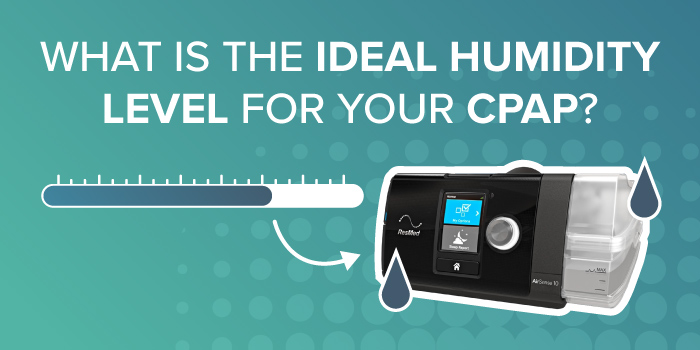
Most CPAP users are most comfortable with a humidity setting between 3 and 4 (out of 8). If you regularly wake up with a dry mouth or dry nose, try increasing the setting. If you notice water collecting inside your tubing (called rainout), lower the humidity or use heated tubing. The best setting is the one that keeps your airway comfortable without creating excess moisture.
Why CPAP Humidity Matters
Adding humidity to your CPAP therapy helps replace the moisture your body loses from the constant flow of pressurized air. Without enough humidity, many users experience dry mouth, nasal irritation, congestion, or a sore throat. Proper humidification makes therapy more comfortable and can make it easier to use your CPAP consistently.
While not everyone needs a humidifier, it's especially helpful if you:
- Wake up with a dry mouth or nose
- Experience nasal congestion or irritation
- Sleep in a cool or dry room
- Are over age 60
- Take multiple prescription medications
- Have post-nasal drip or frequent sneezing
- Have had your uvula removed
- Notice burning or dryness inside your nostrils
Dry Mouth, Sore Throat, and CPAP Comfort
Dryness is one of the most common complaints among CPAP users. If the humidity is set too low, your mouth, nose, and throat may become irritated overnight. Finding the right humidity level can improve comfort and help you stay consistent with your therapy.
Recommended Humidity Settings by CPAP Machine
ResMed AirSense 10 / AirSense 11
Most users begin with a humidity setting of 3 or 4.
To adjust humidity:
- Turn the dial or open the touchscreen menu.
- Select My Options.
- Choose Humidity Level.
- Increase or decrease the setting.
- Save your changes.
Philips DreamStation 2
A good starting point is also level 3 or 4.
To adjust humidity:
- Open the Comfort Settings menu.
- Select Humidifier.
- Choose your preferred humidity level.
- Confirm your selection.
Luna G3
- Turn the machine on or wake the screen by pressing the control knob.
- Turn the knob until settings (gear icon) is highlighted, then press the knob to open it.
- Select Humidifier or Humidity Level.
- Turn the knob:
Clockwise to increase humidity.
Counterclockwise to decrease humidity.
Press the knob again to save the setting
How to Pick the Right Humidity Level
Finding your ideal setting usually takes a few nights of adjustment. Rather than making large changes, increase or decrease the humidity one level, or the smallest available increment until your symptoms improve.
Quick Symptom-to-Setting Guide
|
If you notice... |
Try this |
|
Dry mouth or dry nose |
Increase humidity |
|
Water in the hose (rainout) |
Lower humidity or use heated tubing |
|
Stuffy nose |
Adjust humidity and check your mask seal |
Dry Mouth → Raise Humidity
If you wake up feeling dry, your humidifier probably isn't adding enough moisture. Increase the humidity slightly and evaluate how you feel over the next few nights.
Rainout in the Hose → Lower Humidity or Add Heated Tubing
Rainout occurs when warm, humid air cools inside the hose and turns into water droplets. You may hear gurgling sounds or wake up with moisture in your mask.
To reduce rainout:
- Lower the humidity setting slightly.
- Increase the tube temperature if your machine supports it.
- Use heated tubing to keep the air warm throughout the hose.
Stuffy Nose → Adjust Humidity and Check Mask Fit
Nasal congestion can sometimes improve with a small humidity adjustment. However, a leaking mask can also dry out your nose and affect comfort, so check your mask seal if congestion continues.
Seasonal Adjustments
Winter: Dry Air Often Requires Higher Settings
Indoor heating reduces humidity during colder months, so many CPAP users benefit from increasing their humidifier setting during winter.
Summer: Lower Settings May Be More Comfortable
When the air is naturally more humid, a lower setting is often enough to stay comfortable and may reduce the chance of rainout.
Common CPAP Humidity Problems and Fixes
Water in the Hose
This is almost always caused by rainout. Lower the humidity slightly, increase tube temperature, or switch to heated tubing.
Mineral Buildup in the Water Chamber
Minerals from tap water can collect inside the humidifier chamber over time. Using distilled water and cleaning the chamber regularly helps prevent buildup and extends the life of the humidifier.
Mask Leaks at Higher Humidity
Excess moisture can sometimes make a mask cushion lose its seal. If leaks develop after increasing humidity, reduce the setting slightly or refit your mask.
FAQ’s
What is the best CPAP humidity setting?
For most people, a humidity setting of 3 to 4 provides a comfortable balance between preventing dryness and avoiding excess moisture. Your ideal setting may vary depending on your environment and personal comfort.
Is humidity level 5 too high?
Not necessarily. A setting of 5 or higher often works well in very dry climates or during winter months. If you notice condensation in the tubing, try lowering the setting or using heated tubing.
Should I turn off the humidifier in summer?
Many users continue using humidification year round. If the air is naturally humid and you're comfortable without added moisture, you may be able to lower the setting or turn it off.
Does humidity affect therapy or AHI?
Humidity improves comfort but does not directly change your prescribed pressure or lower your AHI. However, staying comfortable can make it easier to use your CPAP throughout the night, which supports effective treatment.
Buy Your Humidifier and Supplies at GoCPAP.com
GoCPAP.com is your one-shop stop for all your CPAP needs. Explore our various humidifier options along with many heated humidifier options and heated tubing.
Shop our Humidifiers
Shop our Heated Tubing